Intro to Pandas
Pandas data structure
Pandas consists of two main types of data structures. Let’s make an analogy with Excel.
- Series: A 1D labeled array. Think of a 2-columns Excel spreadsheet where the left column would contain a label (e.g., the time of a measurement) and the right column would contain a value (e.g., the actual value measured at the time specified in the label, let’s say the temperature of a river).
- DataFrame: A 2D labeled table. This is the same as an Excel spreadsheet that would contain more columns than a Series. You can think of having measurements of different variables contained in each column (e.g., the flow rate, the turbidity etc…).
The keyword here is labelled. In Excel, you might get a column using letters and rows using numbers. In Pandas, you can use the column name (e.g., water_temperature) or the row label (e.g., 2021-06-15 14:19:14).
Throughout this class we will focus on the use of DataFrames, not Series. Keep in mind that the behaviour between both is almost identical.
Anatomy of a DataFrame
Figure 1 shows the basic anatomy of a DataFrame that contains four rows and four columns). We already see some data structuring emerging:
- Rows tend to represent entries, which can be:
- Different measurements at specific time steps
- Different samples collected at different place/times
- etc.
- In contrast, column represent attributes and store the properties of each entry:
- The actual values of different measured parameters
- The location and time of collected samples, along with associated analyses (e.g., geochemistry)
- etc.
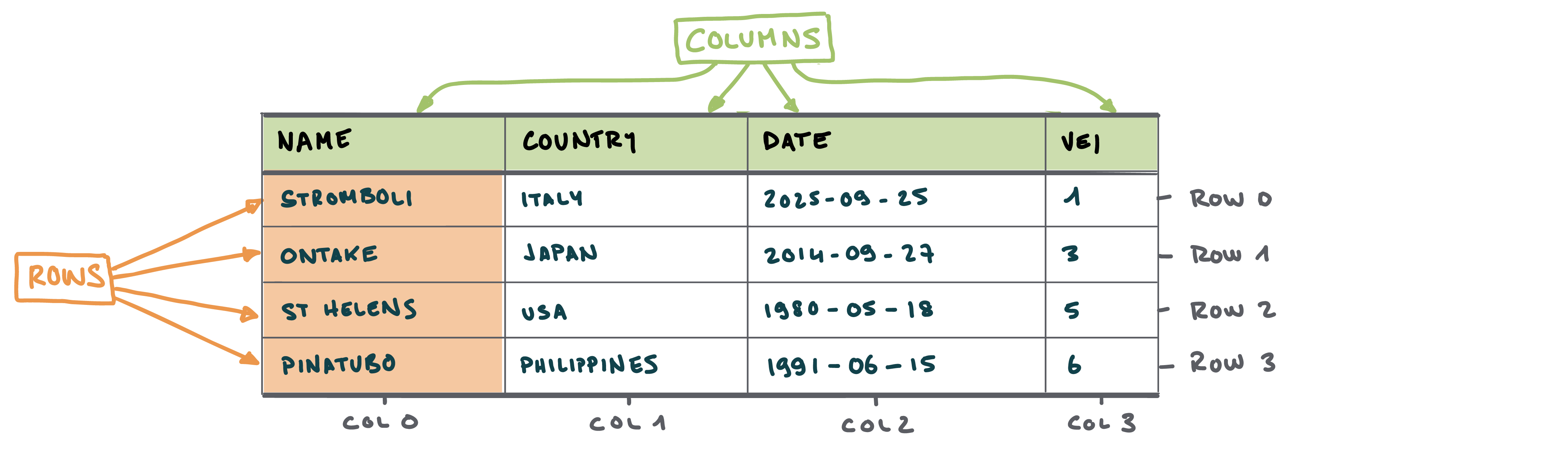
The first row - i.e. the row containing the column labels - is not considered as an entry. This is because the top row of a dataframe is usually used as the label for the columns. Similarly, we might want to set the first column as a label for the rows (Figure 2). In a nutshell:
- Index refers to the label of the rows. In the index, values are usually unique - meaning that each entry has a different label.
- Column refers to the label of - logically - the columns
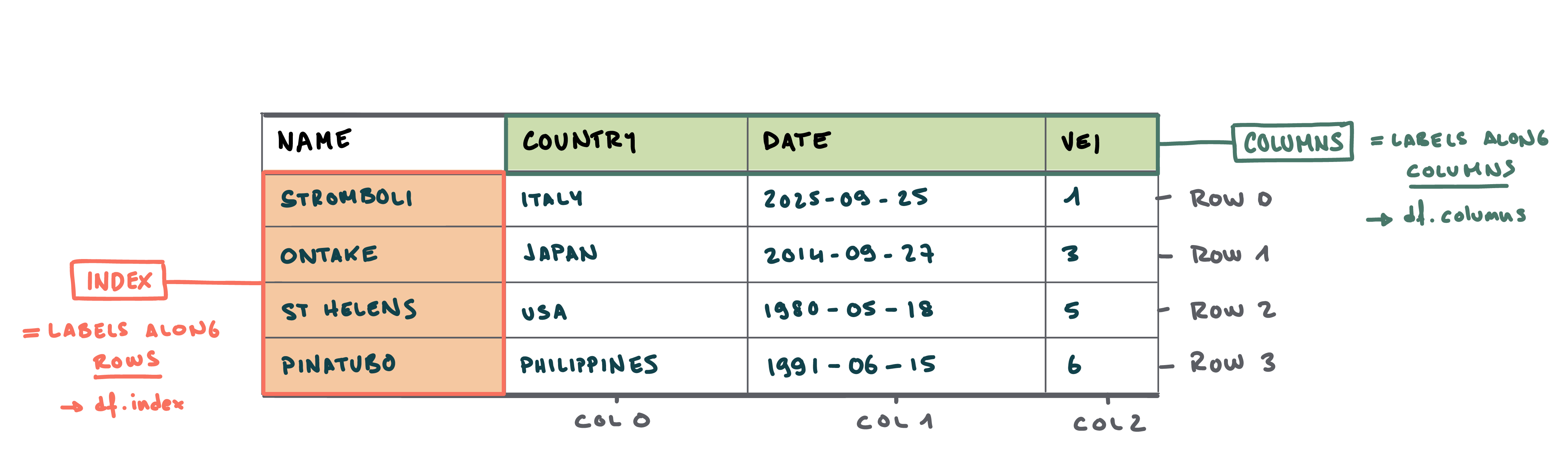
Remember that in Python, indexing starts from 0 - so the first row or column has an index of 0.